


Refer friends, earn credits — NextDocs v1.10
NextDocs gets better the more people use it — better feedback, faster fixes, smarter defaults. So we're making it worth your while to bring someone in.
Starting with v1.10, every NextDocs account has a personal referral link. Share it, and when someone signs up, both of you get bonus credits. Up to $50 a month, with no minimum plan.
This release also adds a public Offers page with every way to earn or save in one place, a new Premium models tier for Pro+ and Ultra (Claude Opus 4.7 + GPT-5.5), and a long-overdue recap of AI Memory for anyone who missed it.
Refer friends, earn credits
Open Settings → Offers and you'll find a referral link with your name on it. Share it however you want — a Slack message, an email, a tweet, a coffee chat.
When someone signs up through your link:
- They get bonus credits to try NextDocs properly.
- You get matching credits added to your account.
The reward scales with your market — up to $10 per signup, capped at 5 rewards every 30 days. So a busy week of referrals can earn you up to $50 in any rolling month. Credits are added to your monthly bonus pool and stack on top of your existing plan.
A few things worth knowing:
- Self-referrals don't count. Neither do duplicate signups from the same person.
- The cap resets on a 30-day rolling window, not a calendar month.
- Credits expire on the same schedule as credit packs.
That's it. Share the link, get credits.
A public Offers page

Every way to earn extra credits or save on a plan now lives in one place: nextdocs.io/offers.
Today that includes:
- Student discount — Verified students get a discounted plan
- Social share — Post about NextDocs to claim bonus credits
- Write a review — Leave a public review on There's An AI For That for bonus credits
- Referral program — The link above
- Early adopter discount — Limited-time launch pricing on annual plans
Each card has a one-click action — copy a code, open the claim form, or share to your network. We'll keep adding to it.
Premium models for Pro+ and Ultra
The model picker now has three tiers: Fast, Quality, and Premium.
Premium routes your document and presentation generation through the best models we've found:
- Claude Opus 4.7 for content creation — long-form documents, presentations, complex reasoning
- GPT-5.5 for routing, edits, and orchestration
Premium is available on Pro+ and Ultra plans. Free and Pro users still see the option, and selecting it falls back gracefully to Quality — nothing breaks if you change plans or invite a teammate on a different tier.
You'll see a price indicator ($, $$, $$$) next to each option so the cost trade-off is obvious before you generate. Pick Fast when you're iterating quickly, Quality for production work, and Premium when the output really has to be your best.
Catch-up: AI Memory
A quick recap for anyone who missed the v1.9 release — NextDocs now has a personal memory.
AI Memory is a short, editable profile of you. Your role. Your audience. Your tone. The tools you work with. The things you always want, and the things you never want. Once it's set, every new chat already knows it.
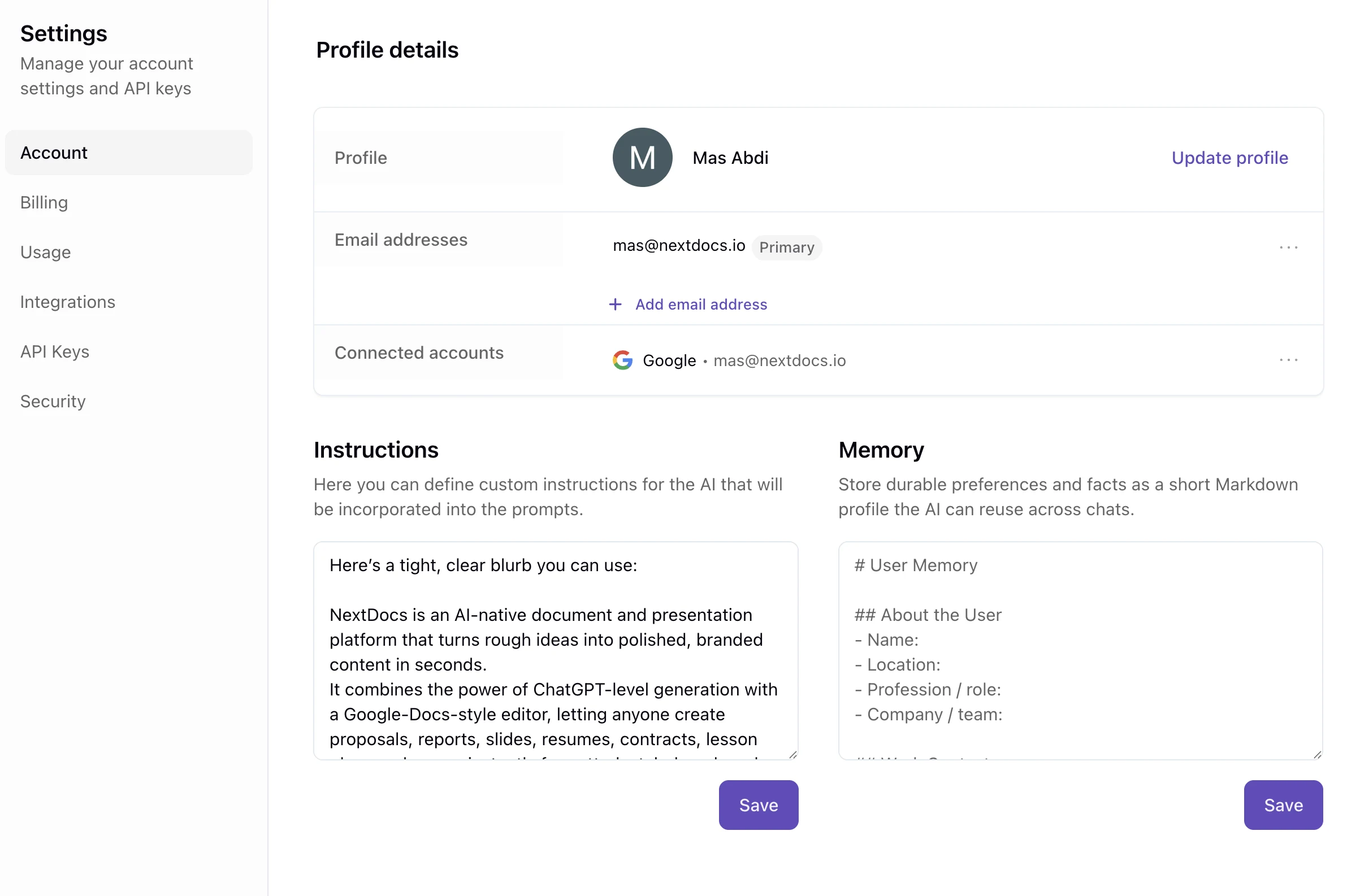
Two ways to use it:
- Edit it yourself in Settings → Account. Markdown headings and bullets work well.
- Let the AI keep it updated — just tell NextDocs to remember something ("I always present to executives, keep slides concise") and it saves it for you.
Your memory is yours: it's only used to personalise your generations, you can edit or clear it at any time, and it's removed if you delete your account. NextDocs deliberately won't store sensitive data like credentials or one-off task context — just the durable things that make your output feel like yours.
Behind the scenes
A few other things landed in v1.10 that you don't have to think about, but you'll feel:
- Smoother canvas updates — When the AI updates a multi-page canvas, partial updates now land cleanly instead of failing the whole pass. The agent re-runs for any pages that didn't make it the first time.
- Better diagrams — Scatter plots, quadrant maps, timelines, and connector diagrams now use a dedicated coordinate-island layout that respects your axes and positions.
- More reliable images — Improved retry handling when an upstream image provider returns a blank response.
- Clearer pricing — Per-plan annual savings are now shown right on each card, so the trade-off is obvious before you click.
What's next
We're spending the next few weeks deepening Pro+/Ultra benefits and expanding the Offers page. If there's a partnership or discount we should add, hit Help → Contact us — every reply lands in our inbox.
Got a friend who'd get value from NextDocs? Now's a good time to send them your link.
